Dream it
Describe the experience, sketch the land, or begin with a simple object.
There is a game developer and creator in everyone. Crystal Kingdoms World gives people approachable tools to imagine a world, build it in 3D, turn it into a game, and share what they make.
Start with a sentence, a shape, or an empty island. Keep building until it becomes a place other people can enter and play.
Crystal Kingdoms World brings creation and playtesting together, so beginners can learn by making and experienced creators can move quickly.
Describe the experience, sketch the land, or begin with a simple object.
Sculpt terrain, place models, shape lighting, and connect game rules.
Step into the world immediately, test the objective, and revise what is not fun yet.
Save locally, capture media, publish a world, or prepare a standalone game build.
Symphony is the game-building system. Mia AI is the conversational creative companion that helps you direct it using everyday language, with Toby available as the male response voice.
Type or speak an idea to Mia AI. Symphony turns that direction into a structured game design, assembles the playable world, and applies your requests for changes to gameplay, models, collision, camera, atmosphere, difficulty, music, or rules.
Natural chat, spoken prompts, autosaved sessions, follow-up requests, revision history, and prompt undo. Choose Mia or Toby for spoken responses.
RPG, FPS, racing, fighting, arcade, puzzle, platformer, farming, city-builder, and more.
Levels, objectives, cinematics, transitions, checkpoints, adaptive music intent, and event cues.
Prepare generated games for Windows, macOS, Linux, WebGL, or iOS when the matching Unity modules are installed.
Every generated idea can become a hands-on project. Shape the world directly with visual tools, imported assets, avatars, game behaviors, and environmental controls.
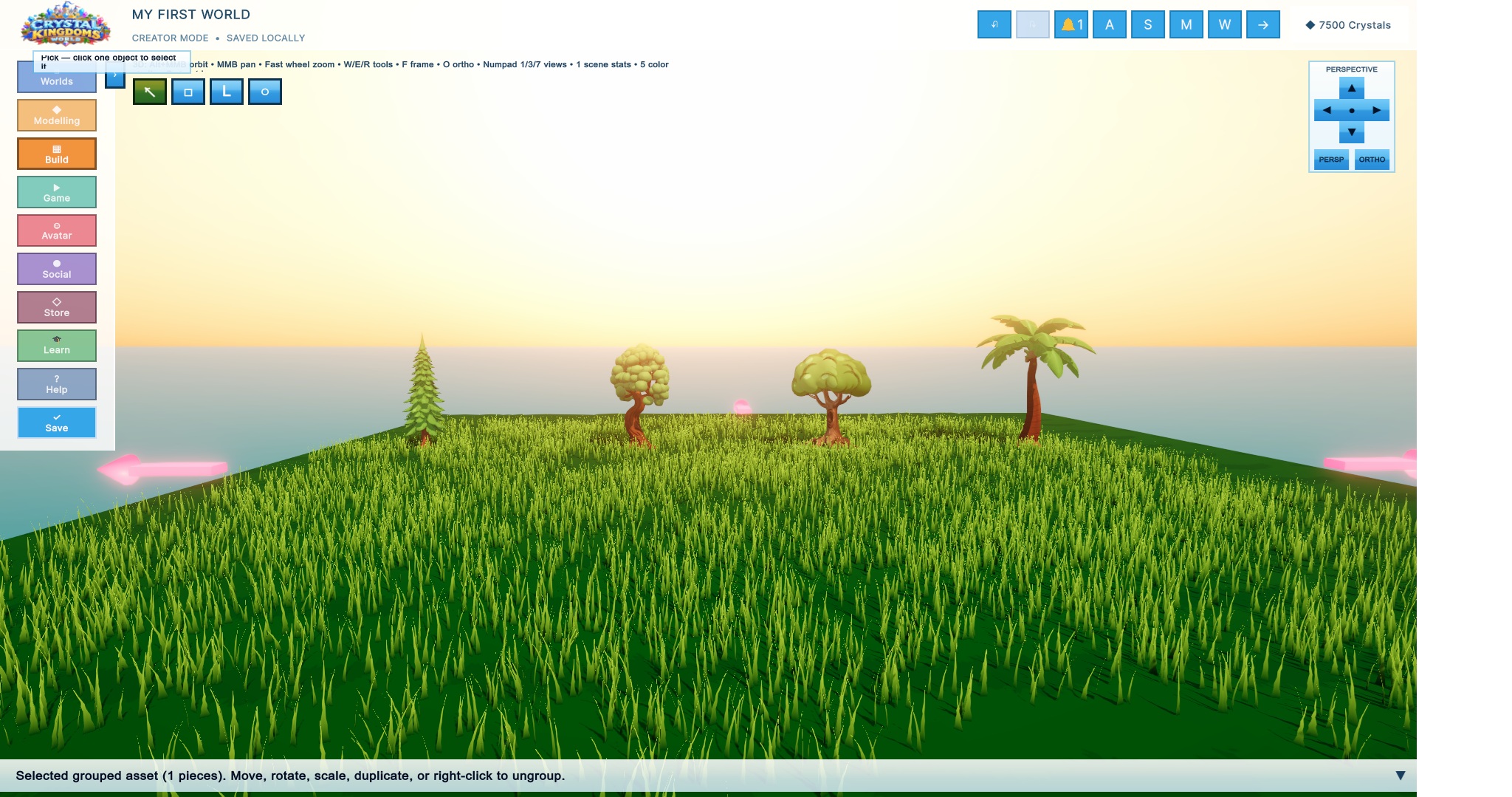
Raise, lower, smooth, flatten, and paint land. Trace custom islands and water, draw spline roads, add waterfalls, oceans, foliage, and city pieces.
Place primitives and searchable assets, import OBJ files, add editable 3D text, apply textures, group parts, set pivots, and control collision.
Generate editable creations with style, detail, polygon, topology, and UV controls—without requiring an external API key.
Add spawns, collectibles, hazards, goals, moving platforms, timers, projectiles, vehicles, enemies, scoring, win states, and restart behavior.
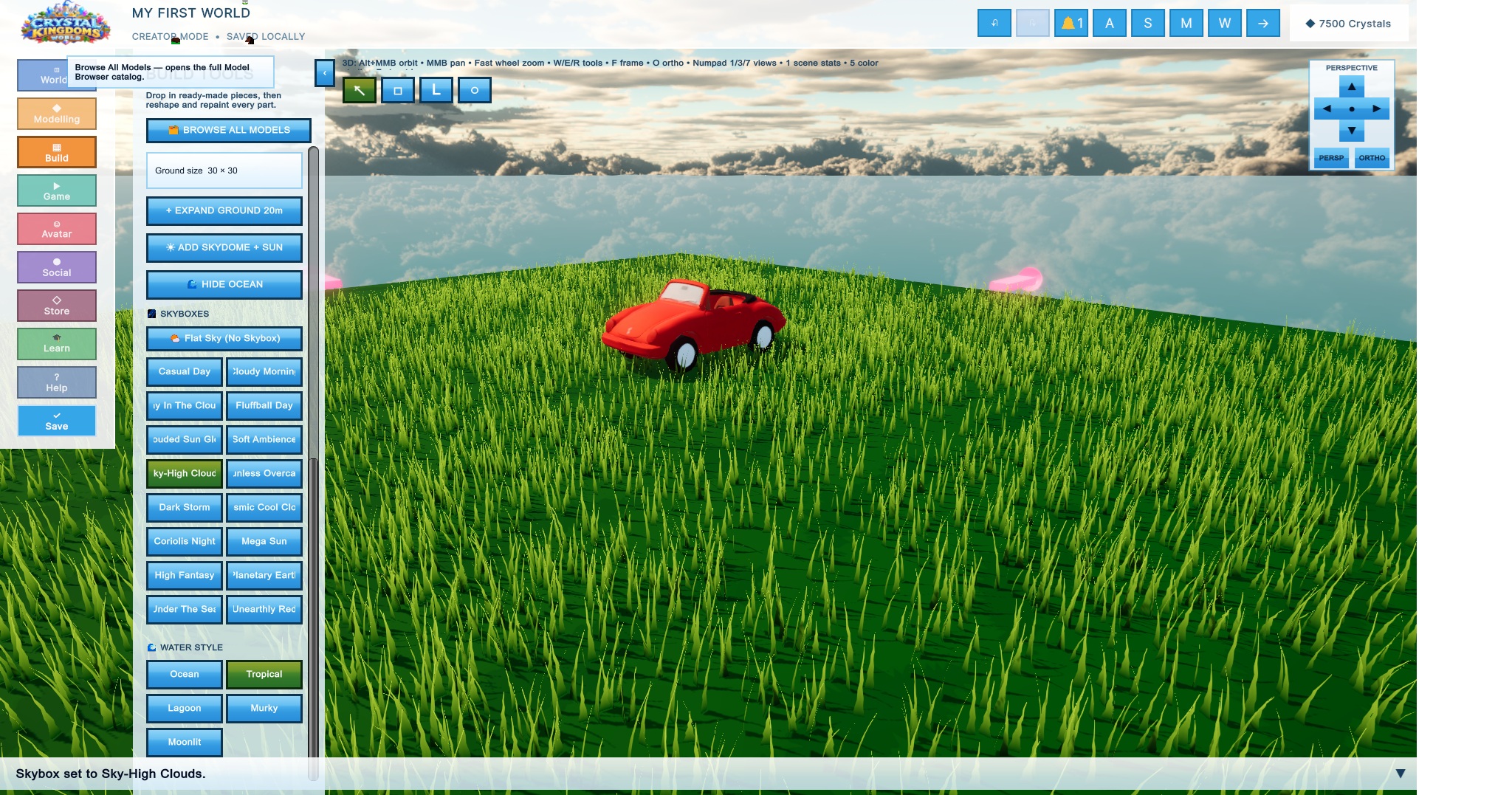
Design with skyboxes, water styles, rain, snow, haze, sun, point, spot, softbox, and neon lights. Build flybys and export frame sequences.
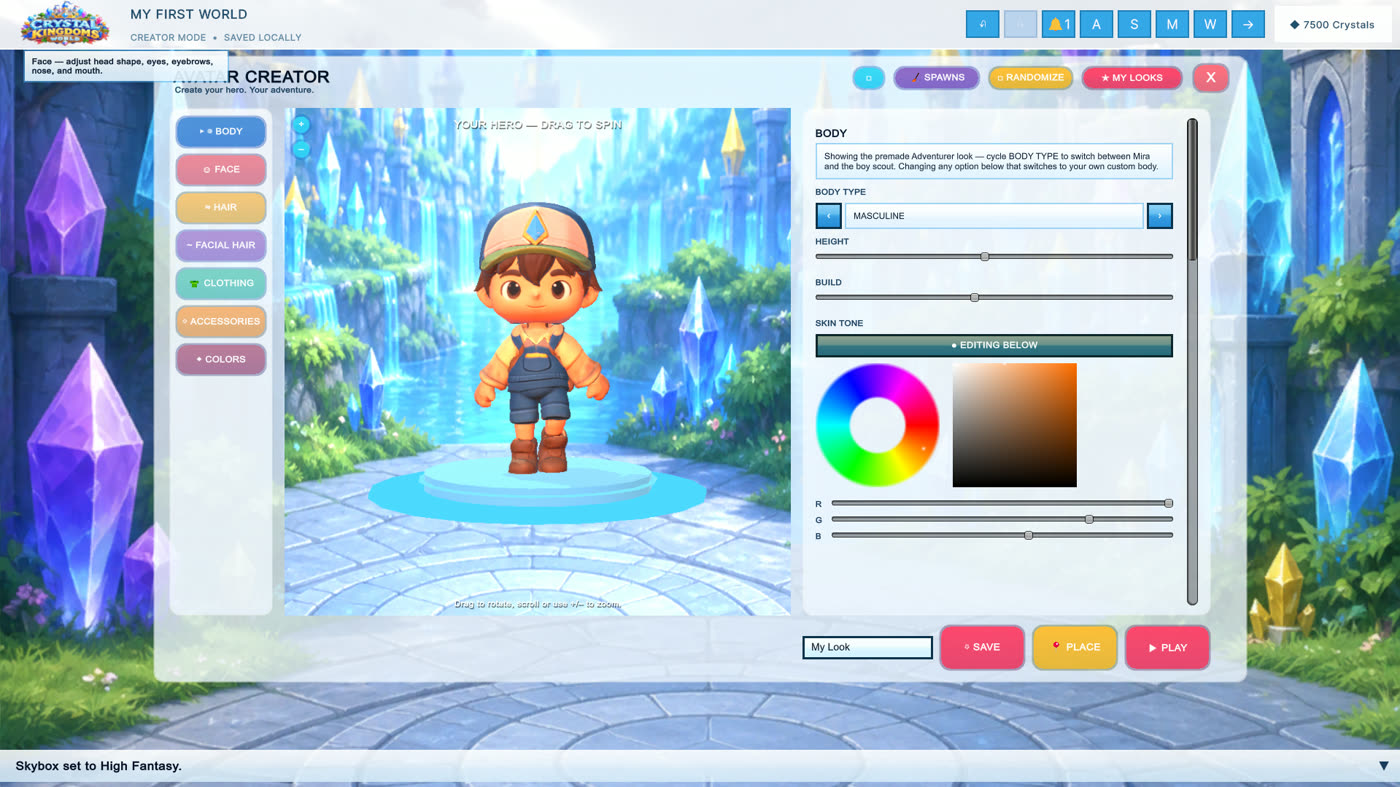
Customize body, face, hair, clothing, accessories, scale, and color. Save named looks, use imported characters, and enter the world as your hero.
Save named worlds and thumbnails, manage every object in the scene, use smart selection, capture clean screenshots, add comments, and export PNGs.
Publish public worlds through Cloud Save and test Lobby and Relay sessions with join codes, chat, invitations, world transfer, and remote avatars.
Try friend requests, direct and community chat, forums, player polls with shared results, screenshot bug reports, marketplace, wallet, and gift-card prototypes.
These clips show the current playable build—from entering the kingdom to creating a character and building a detailed world.
Build bright fantasy landscapes, atmospheric nighttime scenes, characters, vehicles, games, or something no one has imagined yet.
Crystal Kingdoms World is an ambitious MVP. The creative foundation is ready to explore; connected, commercial, and generative systems still need broader testing and production hardening.
Download the prototype, unzip the folder, and run the included application. Begin with a blank world—or let an idea lead you somewhere unexpected.
Download Crystal Kingdoms WorldWindows 10/11 · 64-bit · MVP build · no installer required